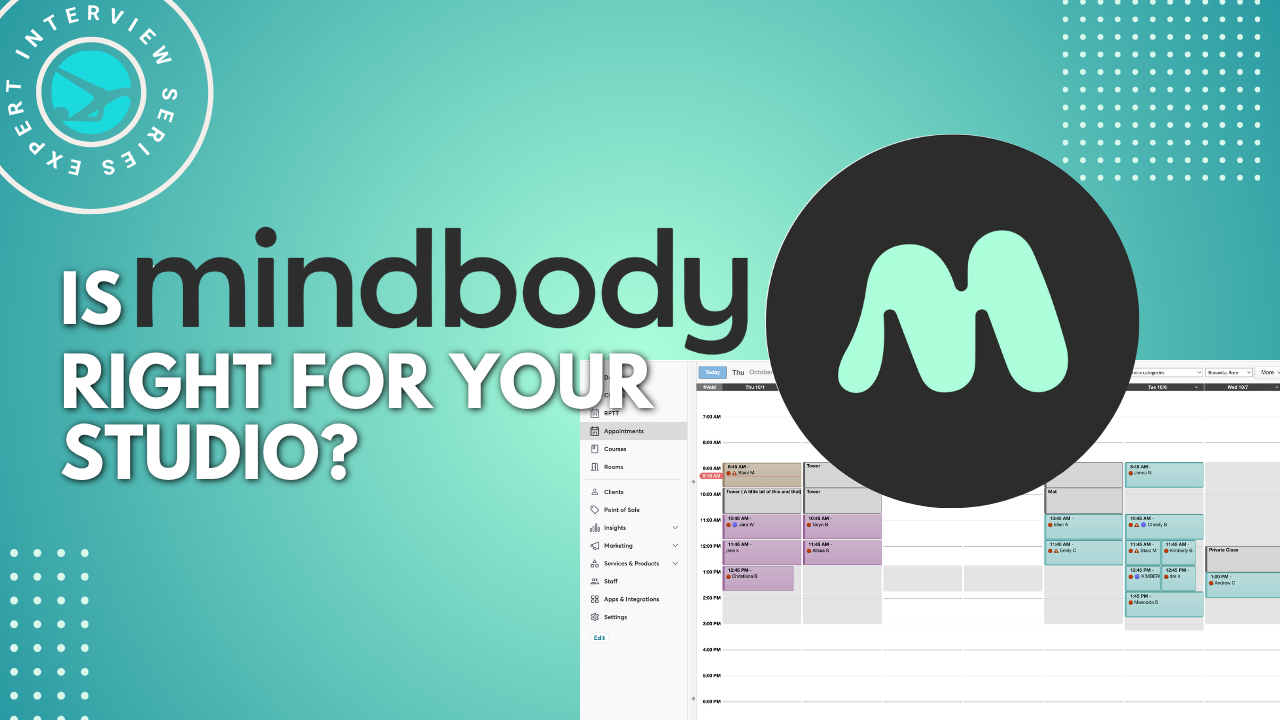

According to our Pilates Studio Scheduling Software Survey, Mindbody continues to hold the largest market share among participating studios. But a lot has changed. With new plans starting at $79/month, updated booking tools, AI-powered client communication, and more marketing features, is it worth another look?
I invited the Mindbody team to join me for a hands-on demonstration of the latest features. We explored what’s included in the basic plan for smaller studios, which tools can help growing businesses attract and retain clients, and the practical questions Pilates studio owners should ask before choosing their scheduling software.
Special Offer for PilatesBridge Readers: 75% Off Mindbody for 6 Months
Considering Mindbody for your studio? Schedule a personalized demo and receive 75% off your first six months, whether you choose the Starter plan or a higher subscription tier.
Chapters
00:00 Introduction to MindBody and Studio Management
01:58 Overview of New Features and Packages
04:58 AI and Modernization of MindBody
07:48 MindBody for Small and Solo Studios
11:10 Using the MindBody App for Client Discovery
13:05 Building a Website with MindBody
15:12 Client Interaction and Booking Experience
16:53 Business Dashboard and Analytics
20:00 Managing Staff and Memberships
23:10 Class and Service Setup
27:05 Studio Operations and Mobile App
29:09 Marketing and Lead Generation Tools
33:04 Lead Management and Automation
40:08 Customer Journey and Campaigns
42:51 Client Retention and Referral Features
45:13 Handling Waitlists and Cancellations
50:06 Pre-Sales and Membership Benefits
53:51 Setting Up Your Studio in MindBody
01:00:08 Client Intake and Forms
01:02:59 Website Customization and SEO
01:05:53 Tracking Ad Campaigns and Conversion
01:08:01 Final Tips and Demo Invitation
Resources mentioned in the video:
- Branded web tools FAQ
- Google Analytics (GA4)
- Google Analytics FAQ (branded web tools)
- Google Analytics 4 (GA4) user guide: Getting started (step-by-step)
Introduction: Is Mindbody Right for Your Pilates Studio?
Anastasiya Goers (00:01): Is Mindbody the right scheduling system for your Pilates studio? And with all the recent changes in pricing, AI features, and marketing tools, is it worth another look?
Welcome to the PilatesBridge Growth Podcast. I’m your host, Anastasiya Goers, and today we’re taking a closer look at Mindbody, one of the most popular studio management platforms in the Pilates industry.
Whether you’re opening your first studio, considering switching software, or looking for ways to attract more clients and spend less time on administration, this session is for you.
We’re also going to look at Mindbody’s new basic package, which starts at $79 per month. We’ll explore exactly what’s included and whether it’s a good fit for a small studio.
We’ll walk through a live Mindbody demo, starting with essential tools for smaller studios and solo Pilates instructors, then moving into advanced features like client retention, marketing automation, and AI-powered communication.
Joining me today are Emily Taylor and Jaime Ludwick, two solutions engineers from Mindbody. They’ll walk us through the features, answer our questions, and share what’s new.
Meet the Mindbody Team
Emily Taylor (01:29): I’m the Manager of Solutions Engineering at Mindbody, and I’ve been with the company for about 10 years.
I started on the implementation team, working with new Mindbody customers to help them set up their software and learn how to use it. That gave me a strong foundation in understanding the product and how to configure it for different businesses.
Later, I moved into sales, working with prospective customers ranging from brand-new businesses preparing to open to established studios switching from another platform.
Now I manage our Solutions Engineering team. We support the sales team during demonstrations, explaining what the software can do, what it can’t do, and how it can fit different business models and goals.
Outside of work, I’m also an avid Pilates client. I attend JETSET Pilates, which uses Mindbody, so I experience the software from the consumer side almost every day when booking and rescheduling classes.
Jaime Ludwick (03:24): I’m one of the solutions engineers at Mindbody, and I’ve been with the company for almost four years.
Before joining Mindbody, my background was in exercise science and nutrition. I spent about five years working in boutique fitness studios that used Mindbody, doing everything from front desk and coaching to instruction and management.
Eventually, the business expanded to multiple locations, so I experienced what that growth looks like from an operational perspective.
I still coach today, so I understand firsthand what it takes to keep a studio running smoothly. That experience is helpful when working with businesses that are considering Mindbody.
What’s Changed at Mindbody? New Features and Pricing
Anastasiya (04:58): Almost everybody in the Pilates industry knows about Mindbody. It’s one of the pioneers of studio scheduling software and has been around for a long time.
Over the years, many other scheduling platforms have entered the market. Mindbody has also introduced new features and upgraded existing tools, especially recently.
And, of course, we can’t forget about all the advancements in AI.
Can you give us a high-level overview of the biggest changes that have happened at Mindbody in the past year or two?
Emily (05:54): AI has helped accelerate product development, but modernizing Mindbody is something we’ve been working on for years.
Mindbody was created over 20 years ago to address a gap in software for boutique fitness businesses, particularly yoga studios at the time. Since then, we’ve expanded to serve many different types of fitness, wellness, and beauty businesses, including Pilates studios.
We’ve invested significantly in modernizing the user experience. If you’ve used Mindbody in the past, you may remember some pages that looked outdated or hadn’t changed much over the years. That’s different now.
We’ve also developed new features, including functionality specifically designed with Pilates businesses in mind.
Another important change is pricing.
Some studio owners still think Mindbody is only for larger studios or businesses with multiple locations. But Mindbody can also be a good fit for a solo instructor, a brand-new business, or a single-location studio.
Our entry-level price is now $79 per month, and that includes the essential tools needed to run a studio day to day.
As your business grows, the software can grow with you.
Today, we’ll start with the foundational features included in that entry package, then move into more advanced tools for marketing, retention, and business growth.
Anastasiya (08:34): If you’re watching live and have questions, please share them in the chat. If you’re watching the recording, you can leave your questions in the comments.
Before we get into the demo, I want to highlight one of my favorite updates from the perspective of working with Pilates studio websites.
Mindbody’s direct purchase links look so much better than they did for many years. This makes a big difference in the experience when a new client purchases an introductory offer or package. It’s an update I’ve been hoping to see for a long time.
Now, let’s take a look under the hood.
How New Clients Discover and Book Pilates Studios Through Mindbody
Jaime (10:45): We like to start where many potential clients are already looking: the Mindbody app.
Millions of people use the app to find and book fitness classes, wellness services, and appointments.
One benefit is that listings are based on the client’s location. A new or small Pilates studio can appear alongside larger brands like Orangetheory or F45.
That gives smaller businesses an opportunity to be discovered without spending additional money on advertising through the app. The listing is included in the core Mindbody software.
Let’s say Emily just moved to town and searches for Pilates near her. Your studio appears in the results along with your schedule and any introductory offers.
She can select a class, purchase an offer, and book in just a few steps.
We encourage owners to make their intro offers visible because people using the app are often already looking for a studio.
It’s one way to introduce your business to new clients and make the booking process convenient.
Mindbody Websites, Booking Widgets, and Lead Capture Forms
Jaime (12:38): Another new offering we’re excited about is a fully branded website, which is included with every subscription tier.
If you’re a solo instructor or opening your first studio, building a website can feel overwhelming. Your specialty is teaching, not web design, and hiring a designer can become expensive.
Our goal is to make a professional website more accessible.
The website is branded to your business, with your schedule, pricing, and booking tools connected.
If you already have a website you love, that’s fine too. We offer branded web tools, or widgets, that you can embed into your existing website.
These widgets allow clients to book classes, purchase introductory offers, and buy packages without leaving your website.
Another tool I’d like to highlight is the prospect widget.
This is essentially an inquiry form you can place on your website. Someone who’s interested in your services can enter their information, and that information goes into Mindbody so you can follow up with them.
It’s a simple way to capture leads, and it’s included in the Starter package.
Business Dashboard, Clients at Risk, and Analytics
Jaime (15:25): Now let’s switch to the business side of Mindbody.
When you log in, the dashboard becomes your home base. You can see today’s classes, sales, and how your business is performing without having to dig through multiple reports.
One newer feature is called Clients at Risk, and it’s included in the entry-level package.
It identifies clients who used to attend regularly but have started coming less frequently.
Maybe someone used to come every week but hasn’t visited recently. Rather than realizing months later that they’ve disappeared, you can identify the change and reach out proactively.
That could be a simple personal message letting them know you miss them and would love to see them back.
The next tool is analytics.
Every week, AI Insights provides a summary of how your business performed during the previous week, including comparisons and personalized recommendations.
The dashboard adapts to your business model, whether you primarily offer group classes, private sessions, duets, trios, or a combination.
As your studio grows, you might want more detailed comparisons, such as month-over-month performance or how your morning classes compare with afternoon classes.
Those advanced comparative views are available in higher subscription tiers.
Which Reports Are Included in the Starter Plan?
Anastasiya (18:31): I have a quick question about analytics. I noticed the introductory offer report. Is that available in all plans or only in the higher tiers?
Emily (18:54): My understanding is that the intro offer dashboard is included in every tier, although we can double-check that.
You’ll be able to see how many intro offers have been sold, the conversion rate, and a visual breakdown of that information.
The main analytics feature that’s limited to Accelerate and higher packages is comparative analytics.
We’re also continuing to develop these dashboards, and some features are currently in alpha or beta testing.
Anastasiya (19:55): What about payroll? Is that included in the higher tiers?
Emily (20:02): Payroll reporting is included at every subscription level.
You can track instructor payments, classes taught, and clock-in and clock-out information. Then you can export that information to use with your payroll provider.
Mindbody helps you calculate and track payroll, but the actual payment processing would happen through a separate payroll system or partner.
Are There Limits on Instructors, Clients, or Classes?
Anastasiya (20:42): When studio owners compare scheduling platforms, some systems charge based on the number of instructors or staff members.
Does Mindbody limit the number of staff members in the basic plan?
Emily (21:15): No. Mindbody doesn’t charge differently based on whether you have one instructor or 50.
That also applies to the number of classes, appointments, and clients.
We want the software to work for a small business when it’s just getting started and continue supporting it as the business grows.
Some platforms may have attractive starting prices but introduce additional charges as you add staff or expand. We’re trying to be transparent about what’s included.
Managing Classes, Private Sessions, and Teacher Training
Jaime (22:21): Let’s look at the different services you can offer through Mindbody.
There are three primary service types.
Classes are group sessions, such as a 50-minute Pilates mat or reformer class. Clients can book using a drop-in purchase, class package, or membership.
Appointments are typically private or small-group sessions booked around instructor availability. These might include private reformer sessions or introductory assessments.
Courses allow clients to enroll in an entire series rather than booking individual classes. For example, a six-week beginner Pilates series, prenatal program, or teacher training course.
For Pilates studios that offer private sessions, group classes, and teacher training, having those different service types in one system is valuable.
Class Scheduling, Pricing, and Waitlists
Jaime (23:38): Let’s walk through creating a class.
You can enter the class name, description, level, prerequisites, and instructor.
That information appears when clients book, so the description is also an opportunity to communicate your studio’s personality and help clients know what to expect.
Pricing is flexible. You can offer drop-ins, introductory offers, class packages, and unlimited memberships.
You can also schedule recurring classes, set capacity limits, and configure waitlists.
Once a class is full, clients can join the waitlist, and you can control how they move into the class when a space becomes available.
That means you don’t have to manually contact multiple clients every time someone cancels.
Another recent update is the ability to rename an individual class without rebuilding it.
For example, you can turn your regular Saturday mat class into a special Halloween-themed class without deleting and recreating the original class.
It’s a small improvement, but it can save time when organizing special events.
Memberships and Presales
Jaime (26:38): Memberships and recurring payments are another important part of studio management.
You can set up a membership once, and it automatically renews according to the billing schedule.
That provides more predictable revenue and reduces the need to chase payments.
For new studios, Mindbody also supports presales.
You can sell founding memberships before opening your doors, helping generate early revenue and gauge demand before launch.
Managing Your Pilates Studio From Your Phone
Jaime (27:34): Most studio owners aren’t sitting at a front desk all day.
They’re teaching, cleaning equipment, training staff, and doing everything else required to keep the business running.
That’s where the Mindbody business app becomes useful.
From your phone, you can see the daily schedule, check who’s booked, add clients to classes, manage waitlists, check people in, and take payments.
You can even process a quick purchase for grip socks or another retail item.
For a solo instructor, being able to manage daily operations from a phone can make a big difference.
Everything we’ve covered up to this point is part of the essential functionality available in the $79 entry-level package.
Now we’ll move into the additional marketing and automation tools available as studios grow.
Prospect Forms and Basic Email Follow-Ups
Anastasiya (29:20): Before we move into the advanced tools, I’d like to go back to the prospect forms.
These are new to many studio owners who are familiar with setting up classes and pricing but haven’t necessarily used Mindbody to capture leads.
Where do the form submissions go, and how can owners follow up?
Jaime (30:06): A client visiting your website can fill out the prospect form with their contact information.
You can choose how much information to collect.
The submission goes into Mindbody, and the owner also receives an email notification so they can follow up, answer questions, or help the person book their first class.
Anastasiya (30:54): Where can a studio owner see all those submissions?
Emily (31:02): There’s a prospect report within the core Mindbody software.
Mindbody includes over 90 reports across different categories, and those reports are available at every subscription tier.
The prospect report shows people who have created prospect profiles, whether they submitted a form on your website or contacted your studio and were entered manually.
Anastasiya (31:51): Is there a way to automatically follow up when someone fills out the form? For example, could the system send a welcome email?
Emily (32:02): Yes. The basic software includes a welcome email that you can customize.
You can edit the message, add links, and personalize it with the client’s name.
For more advanced email sequences and drip campaigns, you would move into the higher subscription levels.
But the essential welcome email is included in the base package.
Advanced Marketing Automation With Attentive
Jaime (32:45): Let’s move into the more advanced marketing features.
Mindbody now partners with Attentive, an SMS marketing platform.
One feature is a signup form or pop-up that you can place on your website.
Visitors can enter their email address and phone number, often in exchange for a special offer. The form also collects their consent to receive marketing communications.
Once someone signs up, they can automatically receive a personalized text encouraging them to book their first class.
The goal is to turn website visitors into leads and help those leads take the next step.
AI Concierge: Responding to Missed Calls and Client Inquiries
Jaime (34:28): Another tool for managing incoming leads is AI Concierge.
The reality for many studios is that the owner is teaching or speaking with a client when the phone rings. They can’t answer, and the caller may simply contact the next studio.
AI Concierge is designed to help with that situation.
When a call is missed, the caller can automatically receive a text message, such as, “Sorry we missed you. We’re probably in class. How can we help?”
You can customize the language to match your studio’s voice.
The client can respond by text, and the conversation continues so their questions can be answered and they can be helped toward booking.
The assistant can handle many common questions without staff involvement. When something needs personal attention, an owner or staff member can step into the conversation and respond directly.
The idea is to capture interest from people who have already reached out rather than losing those opportunities.
Tracking Leads Through the Sales Pipeline
Jaime (35:55): Once a lead is captured, the next question is where that information goes.
Mindbody’s lead management pipeline allows you to track prospective clients through the sales process.
At the top is an AI-powered daily digest that highlights leads requiring follow-up and summarizes recent activity, including bookings, purchases, and other lead activity.
The pipeline itself is customizable.
A studio offering a free first class will have a different client journey from a studio selling a five-class introductory package.
You can create stages that reflect how your studio actually sells.
When a new lead comes in through a website form, marketing signup, or connected advertising source, a contact card can appear in the pipeline.
You can see where the lead came from, review activity, assign follow-up to a staff member, and leave notes.
Staff can move leads between stages manually, or the system can move them automatically based on actions such as purchasing an intro offer or booking a class.
That gives you a clearer view of where prospective clients are in the process and what needs to happen next.
Automated Client Journeys: From Intro Offer to Membership
Jaime (38:15): This is also where Attentive connects with the lead management pipeline.
When a client reaches a particular stage, the system can trigger an email or text message automatically.
For example, someone who books their first class might receive a welcome message with information about what to expect.
Someone who purchases an intro offer but hasn’t booked yet might receive a reminder encouraging them to schedule their first visit.
In Attentive, these automated communication sequences are called Journeys.
They work through a series of conditions.
If a client takes one action, they receive one message. If they don’t take that action, they may receive a different message.
You can build a short sequence with one or two messages or a longer journey over several weeks.
Mindbody’s customer success team helps with the initial setup, and studio owners can continue adjusting their journeys based on what works best.
Email and SMS Campaigns
Jaime (40:37): Attentive also offers campaigns for one-time messages.
For example, if your studio is hosting a specialty class, workshop, or community event, you can send an announcement through email or text.
Many owners spend a lot of time creating email newsletters but feel their messages aren’t being seen.
Text messaging gives them another way to reach clients.
You can also use automated journeys for existing members, such as celebrating visit milestones, encouraging reviews, or reconnecting with clients who haven’t attended recently.
So the automation isn’t only about converting new leads. It can also support long-term client retention.
Branded Mobile Apps, Referrals, and Client Retention
Jaime (42:23): Another tool for retention is Mindbody’s branded mobile app.
This is an add-on to the core software.
Unlike the main Mindbody app, which helps people discover your studio, the branded app is designed around your own business.
It uses your branding, colors, and logo.
Clients can book classes, purchase packages, and manage their studio activities.
There are also newer engagement features.
Achievements celebrate milestones, such as a client’s 50th visit, and show how close they are to their next milestone.
Incentivized referrals allow clients to invite friends and earn account credit when the referred person makes a qualifying purchase.
Book on behalf of a guest lets an existing client book a friend without requiring the friend to create an account first.
Push notifications allow the studio to communicate schedule changes, promote workshops, or reach out to clients who haven’t been active recently.
These features are designed to keep existing clients connected to the studio and encourage them to return.
Can Mindbody Follow Up With Abandoned Bookings?
Anastasiya (45:45): I have a question about automated journeys.
Can they be used to follow up with people who start booking or purchasing something but abandon the process?
Jaime (46:09): You can create different audience segments and use those segments to trigger communication.
For example, you could create a message encouraging someone to return and complete a booking.
Attentive also has integrations with other platforms, such as Shopify, where actions like adding something to a cart can be used in segmentation.
Anastasiya (46:42): Are there templates available for these journeys? What if someone decides later that they want to set up automation but doesn’t know where to start?
Emily (47:01): Yes, there are templates designed for different industries, including fitness.
You can start with those templates and customize them.
Your customer success manager helps you learn the basics during setup, but you’re not required to work with them every time you want to make changes.
You can create, modify, and expand your own journeys as your needs change.
Waitlist Notifications and Cancellation Policies
Anastasiya (47:41): We have a question about waitlists. How are clients notified when a space becomes available?
Emily (47:57): Clients can see their position on the waitlist through the Mindbody app, website booking tools, or branded mobile app.
If a space becomes available, they can receive an email or text notification.
Depending on the configuration, they’re prompted to accept or decline the available spot.
If they decline, the system can offer it to the next person on the waitlist.
Anastasiya (49:06): Is there a time limit for accepting the invitation? Can the studio configure that?
Emily (49:14): Yes. The settings are configurable based on your studio’s scheduling and cancellation policies.
For example, if you have a 12-hour cancellation window, the system can apply your policies around bookings, cancellations, and potential fees.
We also have tools for managing late cancellations and no-shows.
You can run a report showing clients who canceled late or didn’t attend, then apply charges manually according to your policies.
You can also set different fees for members and nonmembers or distinguish between late cancellations and no-shows.
Can Members Book Classes Before Their Membership Renews?
Anastasiya (50:33): Another common issue for studios is that members sometimes can’t book their favorite classes until their membership renews.
By that time, the classes may already be full.
Can Mindbody allow members to book ahead of their next billing date?
Emily (51:07): Yes.
You can allow clients with memberships or recurring payments to book classes beyond their current billing period.
For example, someone whose membership renews on November 1 can book classes for the following weeks before the renewal happens.
Once the membership payment processes, the system reconciles those future bookings.
You can also offer membership benefits that give members earlier access to the schedule.
That’s particularly useful when your classes are popular and fill quickly.
Automating New Client Onboarding
Anastasiya (52:09): What types of automated emails or text messages can help nurture clients from their first visit through onboarding?
Jaime (52:29): This is another situation where Attentive can be useful.
You can set up communication based on where someone is in their introductory experience.
For example, a new lead could receive a welcome message with a booking link.
Someone who purchased an intro offer but hasn’t booked could receive a reminder.
After a client finishes their intro offer, you could send a message thanking them for visiting and introducing your membership options.
You might even include a promotional code to encourage that first membership purchase.
These communications can run automatically based on the client’s activity in the lead management pipeline.
Emily (53:51): And those messages can be sent through email, SMS, or a combination of both.
It’s configurable based on the experience you want new clients to have.
Opening a Pilates Studio: What Systems Should You Set Up First?
Anastasiya (54:13): Here’s another question from the audience.
If someone is in the process of opening a new Pilates studio, what are the most important systems to set up first?
Emily (54:28): First, you’ll work with a Mindbody onboarding specialist who helps set up the software.
They’ll learn about your business model, the services you plan to offer, and how you want to operate.
The first priorities are your schedule, services, and pricing.
You also want to get comfortable using the software and make sure everything is ready before opening.
I’d recommend getting your website set up early, even if your schedule isn’t available for booking yet.
You can add Mindbody’s booking widgets to the website ahead of time. When you activate the schedule in Mindbody, the booking information can appear on your website.
You can also use a prospect form to start collecting interest before opening.
Presales are another opportunity.
If you’re planning founding memberships or special opening offers, you can set up your merchant account and start promoting those packages before your doors open.
That can help generate revenue and build your initial client base.
The onboarding specialist will guide you through much of this process, so you don’t have to figure out every setup detail on your own.
Mindbody vs. Acuity for a Small Pilates Studio
Anastasiya (56:45): We have a question asking for a side-by-side comparison of Acuity and Mindbody, specifically for a single-owner business.
Without getting into every Acuity feature, what would you say makes Mindbody stand out for a small studio considering the basic package?
Emily (57:25): One of the biggest advantages is the Mindbody app marketplace.
There are already millions of users on the platform, and your studio can become visible to people searching for services in your local area.
The customized website is another benefit, particularly for a business that doesn’t want to invest in a separate website platform.
The embedded booking widgets are also important.
And then there’s scalability.
You get access to extensive functionality in the base package without limits based on the number of staff, clients, or services.
So even if you’re starting as a solo instructor, the software can accommodate your business as you expand.
Anastasiya (58:37): I’ll add one feature that’s particularly useful for Pilates studios: combination packages.
A studio might want to sell a package that includes several group classes and a private session.
Not all lower-priced scheduling platforms can accommodate that type of pricing structure because it’s more complicated to configure.
Emily (59:19): That’s a great point.
Mindbody supports classes, appointments, courses, and different types of pricing and membership configurations.
All of those options are available in the base package.
That flexibility allows studios to structure their services around their business model.
Making the First Purchase Easier for New Clients
Anastasiya (59:43): When someone purchases an introductory offer, is there a way to make the checkout process shorter?
Sometimes clients are asked to fill out a lot of information before completing their first purchase, which can create friction.
Emily (01:00:16): Yes, and it depends on where they’re booking and how you’ve configured your settings.
If someone books through your website or the Mindbody app, the process can be as simple as entering an email address, creating a password, and agreeing to your liability waiver.
If they’ve previously used Mindbody with another business, they may not need to create a completely new profile.
You can decide which fields are required and turn off unnecessary ones.
If your studio needs more detailed health history or intake information, you can send an additional form after the initial purchase.
Anastasiya (01:01:25): So clients could complete that more detailed intake after they’ve already purchased their introductory offer?
Emily (01:01:35): Exactly.
The form can be emailed to them or completed in person, and the information is stored in their client profile.
Client Intake Forms and Liability Waivers
Anastasiya (01:01:44): Where would a studio owner find those settings?
Emily (01:01:52): Client forms and liability waivers are managed within the software settings.
These tools are included in every subscription tier.
You can create different forms and decide when clients should receive them.
For example, you might require a particular form only for a client’s first booking.
Once a form is completed, it’s stored in the client’s profile with a date and timestamp.
Jaime (01:02:59): And if someone books a class or appointment but hasn’t completed a required form, the system displays an indicator so staff can see that the form is missing.
That helps prevent important paperwork from being overlooked.
Mindbody’s New Website Offering: Editing and SEO
Anastasiya (01:03:19): Let’s return to Mindbody’s new website offering.
How is the website created, and how does a studio owner make updates to content, images, or other information?
Emily (01:03:44): The customized website is available at every subscription tier.
You’ll work with our team during onboarding.
We send you a questionnaire to gather information about your branding, logo, colors, preferred style, and layout.
The website is built using an AI-powered tool, and our team works with you on the initial design and revisions.
Once the website is live, you can submit requests for changes or updates through our team.
So if you want to change content or make adjustments later, you can contact support and have those updates handled.
And if you already have a website, you can continue using it with Mindbody’s booking tools.
Anastasiya (01:04:59): From my experience working with Pilates studios, SEO is an important consideration.
Competition has increased significantly, and getting your studio to appear in search results isn’t always easy.
How are SEO settings handled with these websites? What happens if a studio needs more advanced optimization?
Jaime (01:05:25): SEO is considered during the website-building process, including keywords and how the site is structured.
Having booking and purchasing on the same site is also something we consider beneficial.
But we can follow up with more specific information about the SEO setup and what options are available for customers who need more advanced optimization.
Google Ads, Meta Ads, and Conversion Tracking
Anastasiya (01:05:53): My final question is about advertising.
For many studios, especially new ones, attracting clients involves investing in Google Ads or Meta Ads.
When you’re running advertising campaigns, it’s important to track conversions, not just clicks.
For example, if someone clicks an ad and purchases an introductory offer, Google Ads needs that conversion information to help optimize the campaign.
Can Mindbody track purchases through direct purchase links and send those conversion events back to Google Ads or Meta Ads?
Emily (01:06:51): Within the lead management tool, you can see where leads originated.
For Google Ads tracking specifically, businesses would use Google Tag Manager or Google Analytics 4.
You can embed the relevant tracking IDs within Mindbody’s branded web tools and website to improve tracking.
That setup is technically outside Mindbody’s direct support services, but it is possible to implement.
Anastasiya (01:07:35): So that tracking works through the branded web tools, but not through the separate direct purchase links?
Emily: Correct.
Anastasiya (01:07:42): And the branded web tools are included in every subscription plan?
Emily: Correct.
Final Thoughts: Choosing the Right Mindbody Plan
Anastasiya (01:07:50): We’ve covered a lot today, and I’m sure there are still questions we haven’t answered.
If you’re considering Mindbody as your studio’s scheduling software, I recommend setting up a personalized demonstration.
Before the call, think through the exact experience you want your software to provide.
Consider both sides of the business: the experience for your clients when they book, purchase, and communicate with the studio, and the management experience for you and your staff.
Make a list of the features and workflows that matter most to your studio, and ask to see how those work.
We also have a special offer for PilatesBridge viewers.
If you use our special link and decide to sign up for Mindbody, you can receive 75% off your first six months. The offer applies to all subscription tiers, from the basic plan to the higher-level packages.
Is that correct?
Emily (01:08:55): That’s correct.
Anastasiya (01:08:59): Thank you both for taking the time to walk us through the platform and answer our questions.
And to everyone watching, if you have additional questions, leave them in the comments and we’ll do our best to get you an answer.
Thank you for joining us!
Emily and Jaime: Thank you!